
Cloudflare allows you to conveniently forward entire traffic from one domain to another without touching any servers at all. In this article I will show you how to achieve that with just a couple on entries in the dashboard.
This article assumes that you have 2 domains registered (one being the main, second being the alias) and defined already in your Cloudflare dashboard. The main one is configured in a traditional way so that the A record points to you server's static IP address and resolves the website. If this is the case, we can entirely focus on the alias domain as this is the one where a redirection has to be defined.
This article uses a real example from Jawor Parkiet, a wooden floor manufacturer from Poland. The main domain is jawor-parkiet.pl, and the alias domain is jp.pl.
Desired effect
We want to redirect entire traffic from jp.pl to jawor-parkiet.pl with HTTP 301 permanent redirection.
Why 301 and not 302?
The 301 redirection is a permanent one as oppose to 302. It allows us to preserve any SEO value if applicable, also we don't expect this redirection behaviour to change anytime soon.
Solution
Since both domains are already running behind Cloudflare, we just need to go to the alias domain’s DNS settings.
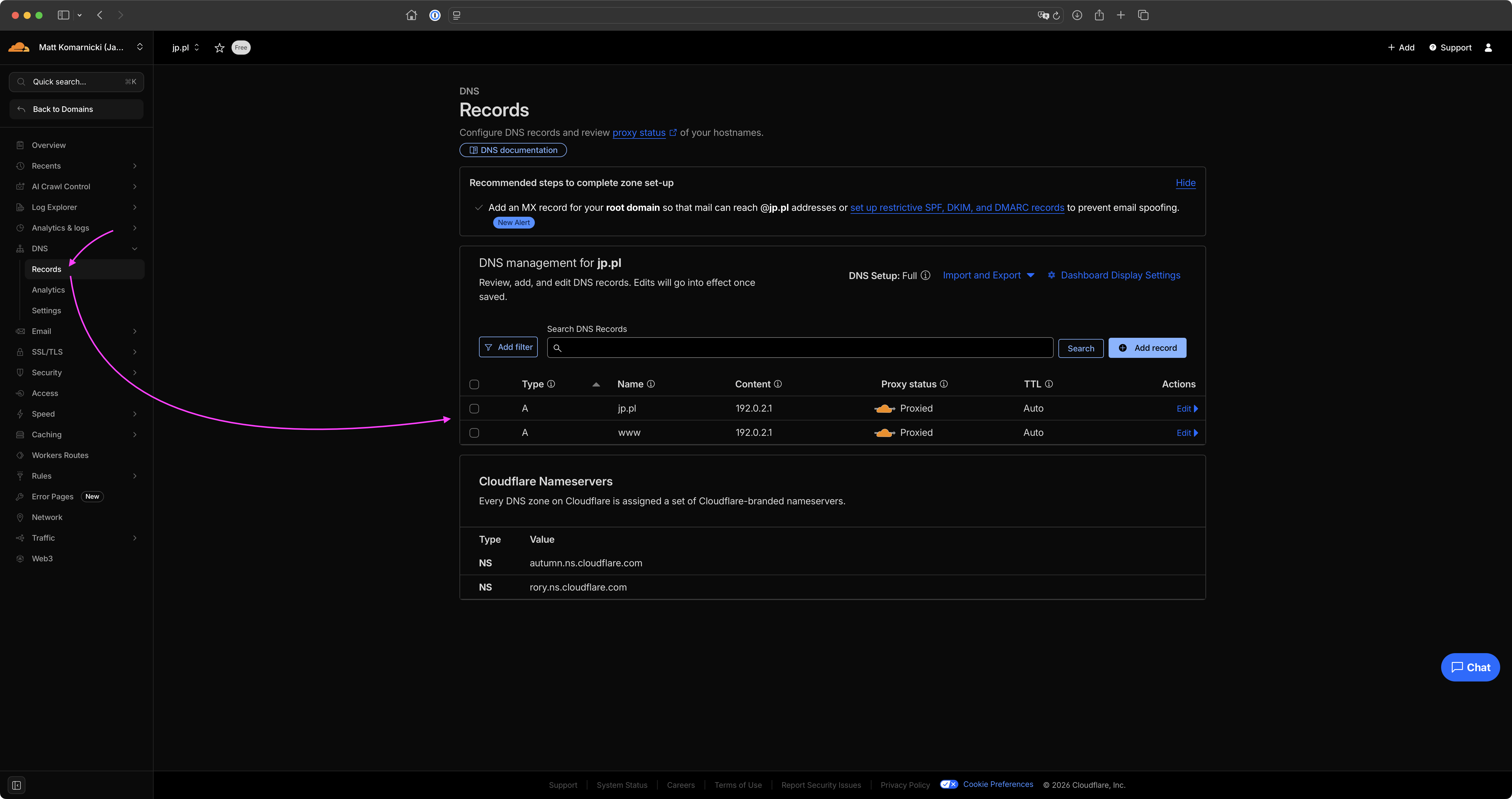
Define the following DNS entires (both of type A):
- Type
A, Name@, IPv4 address192.0.2.1, Proxy statusProxied - Type
A, Namewww, IPv4 address192.0.2.1, Proxy statusProxied
Why 192.0.2.1? What is this IP address? What purpose it serves?
The 192.0.2.1 IP address is used by Cloudflare specifically for redirection. It doesn't route traffic to any servers and allows Cloudflare to apply redirection rule, we're about to specify in the next step.
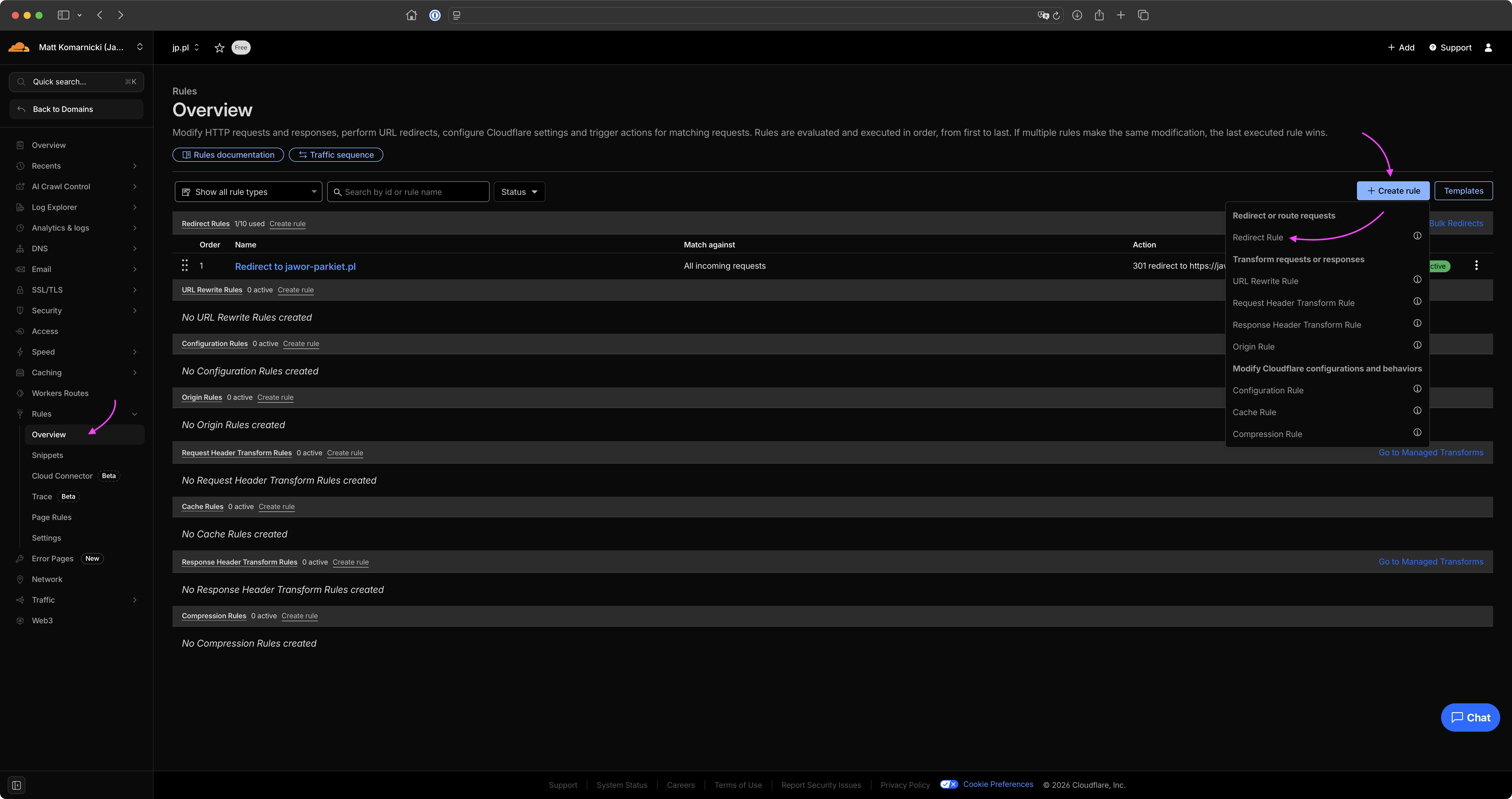
Now, go to Rules and create new Redirection Rule
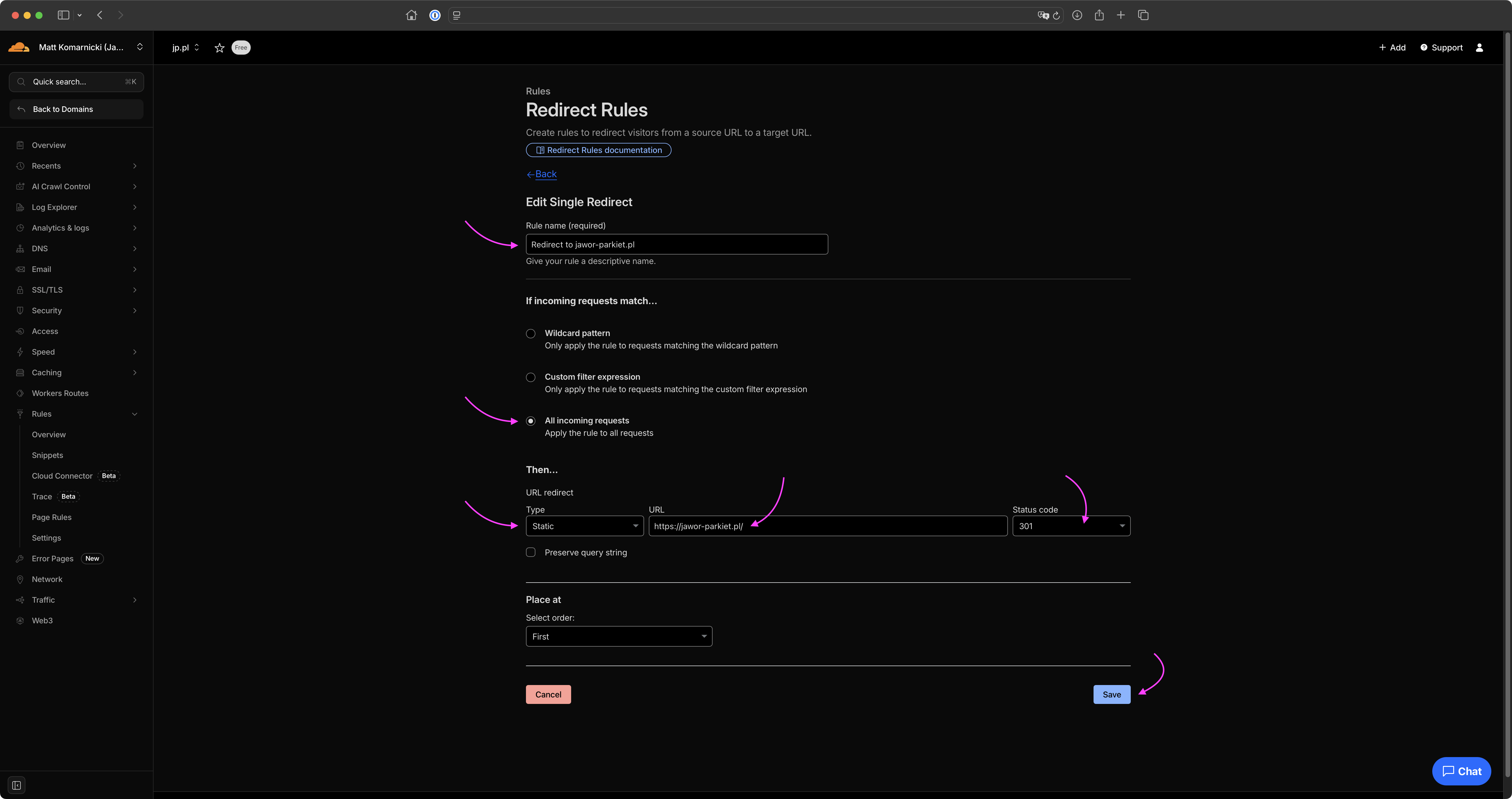
Rule definition is very trivial. Simply priovide the name of your rule so that you can easily identify it within the dashboard. For request matching select All incomming requests. For redirection type select Static from the dropdown list, as URL, provide the address of the destination domain (in my case https://jawor-parkiet.pl/), finally as Status code select 301 as this is a permanent type of redirection. Preserving query string in this case is not needed at all.
After saving the rule, the redirection starts working immediately, forwarding traffic from jp.pl to jawor-parkiet.pl.
We're done here.