
You may encounter a situation when requests from certain IP addresses should not be affected by any Cloudflare Security rules in a form of a JS Challenge, Managed Challenge or Interactive Challenge. Typical scenario could be an e-commerce app having incoming request from a payment provider who performs a POST request to a route of your choice in an asynchronous way with a verification payload. Such route should be always available so that relevant logic can mark related payment (order) as paid. We can achieve that by whitelisting provider's IP addresses.
Assumptions
Let's use Przelewy24 payment provider as an example. They have 3 static IP addresses from which they may call back our verification endpoint. These are:
5.252.202.2555.252.202.25420.215.81.124
Solution
On the sidebar, go to Security, then Security rules and click on the Create rule button to create three new IP access rules (one for each IP address).

On the newly opened New IP access rule page, fill in the form by providing the target IP address. As Action, specify Allow. The Zone field specified whether your rule should be applied to the website (domain) that is currently active or to all websites defined within your Account. Also provide a Note to easily identify your IP rule.
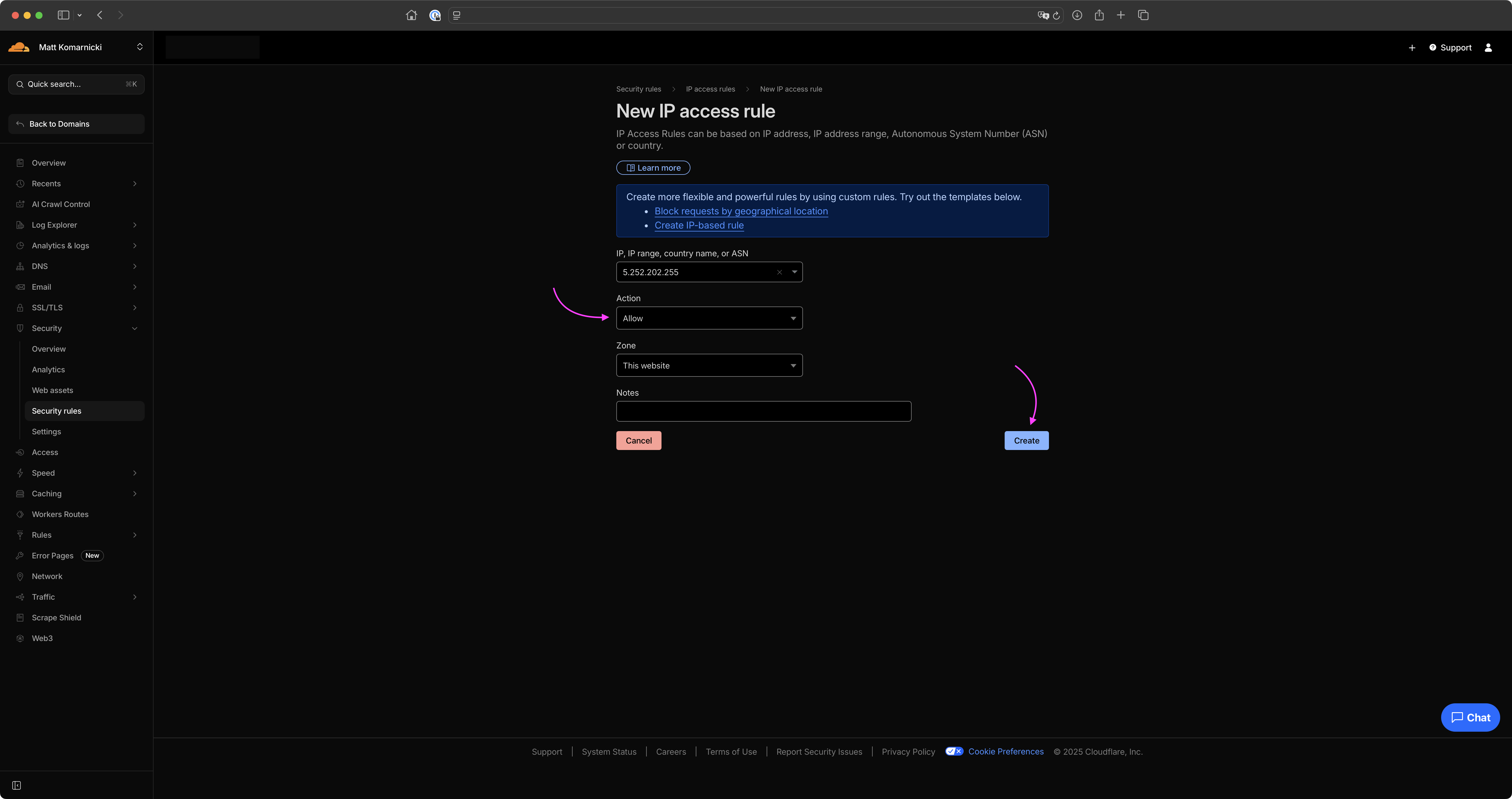
This should be enough to whitelist certain IP address.