
April 02, 2026
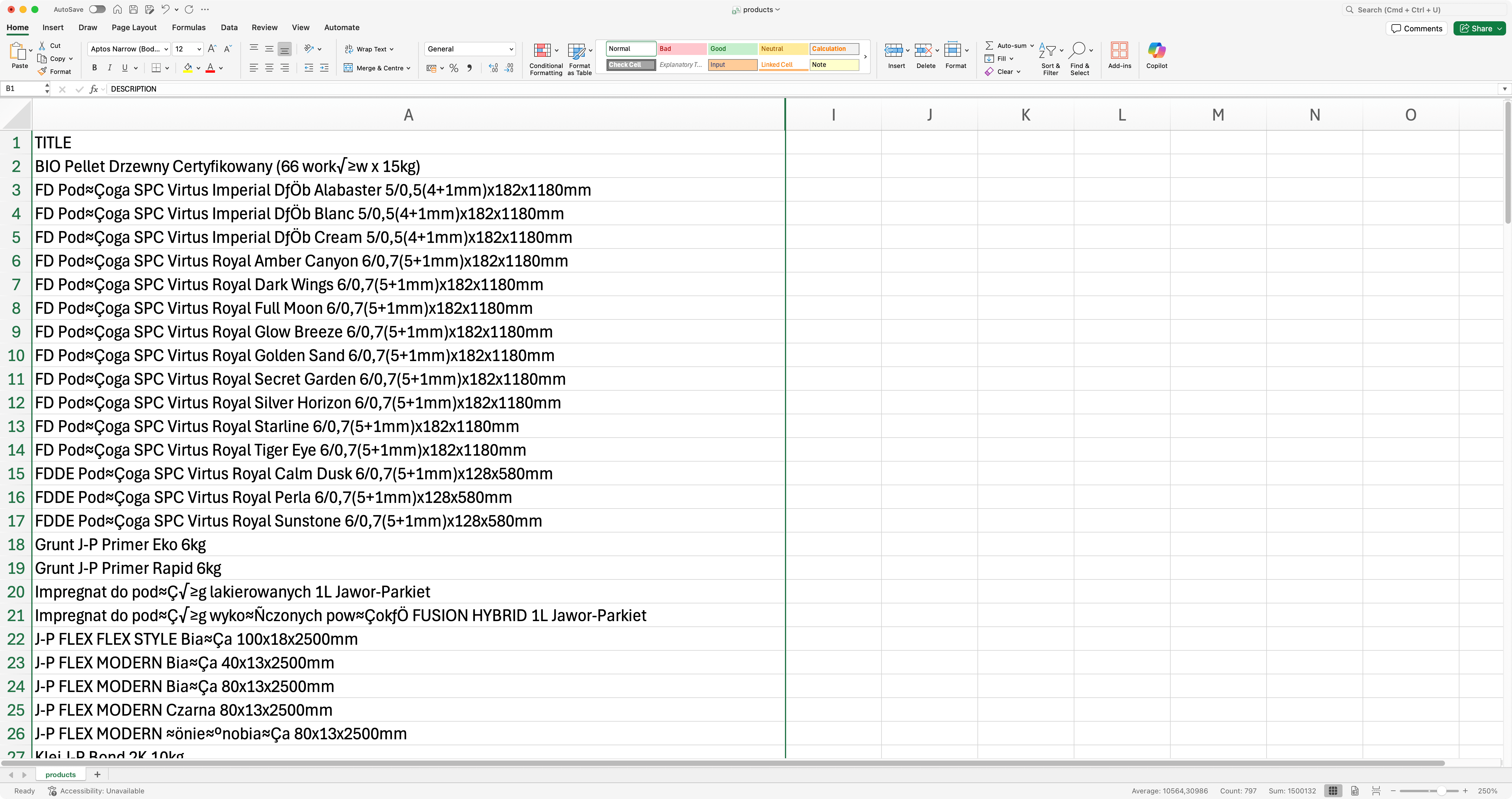
It may happen that correctly encoded in UTF-8 CSV file, when opened in Excel, shows diacritics in a wrong way. Excel does not assume UTF-8 unless a BOM is present, so it falls back to a legacy encoding and misinterprets bytes. Let me show you a quick tip, how to help Excel on macOS open such file correctly.
Problem
Solution
We can fix the problem with an easy to execute one-liner command in macOS terminal. Assuming your file is called products.csv, the following command will fix it:
printf '\xEF\xBB\xBF' | cat - products.csv > products-fixed.csvExplain this magic please…
Sure
- We print UTF-8 BOM (Byte Order Mark)
EF BB BF(this is basically what Excel needs to detect UTF-8 enconding) - We pipe the output from left command and pass it as input to the next command (the one after
|operator) - Take BOM from
printfand append the contents ofproducts.csvto it - Finally we redirect output to new file called
products-fixed.csv
Preview
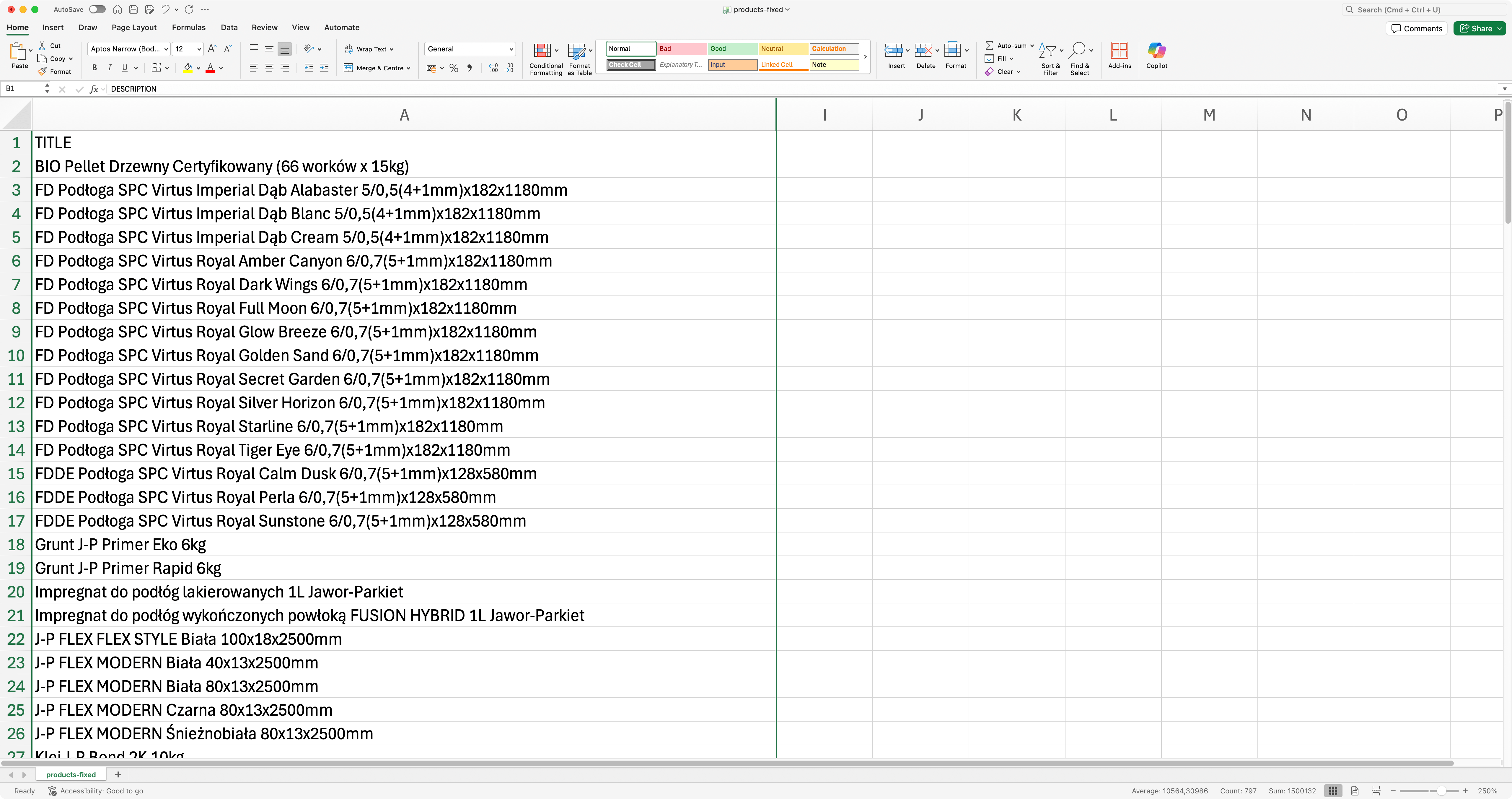
This is it.